
Claude Code 101: Anthropic’s Free Course on Working With an AI Coding Agent
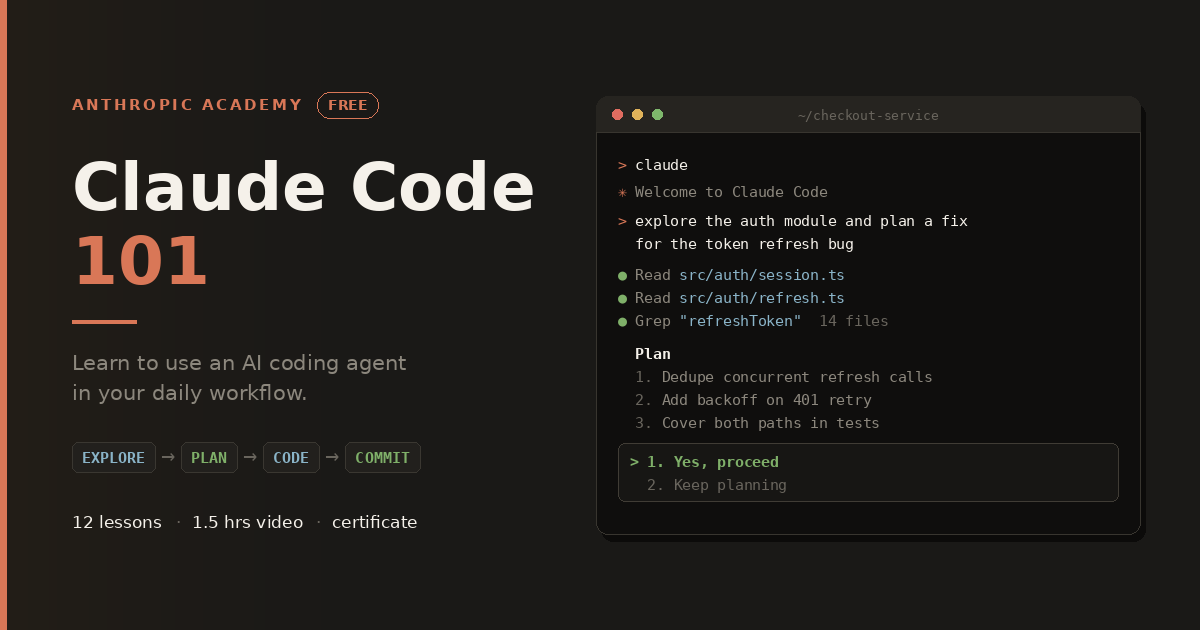
There’s a gap between hearing that AI coding agents are changing how software gets written and actually knowing what to type into your terminal on Monday morning. Anthropic’s Claude Code 101 was built to close that gap. It’s a free, self-paced course on Anthropic’s official course platform, and it takes you from “I’ve never installed this” to “I have a custom subagent, a CLAUDE.md file, and hooks that block dangerous commands.”
If you’ve been meaning to try Claude Code but keep putting it off, this is the shortest sensible way in. Here’s what the course covers, who it’s for, and why it’s worth a few hours.
What is Claude Code?
Claude Code is Anthropic’s agentic coding tool. Unlike a chat window where you paste a function and get a suggestion back, it works directly in your development environment. It reads your files, runs commands, edits code, executes tests, and commits changes, asking your permission at each step.
That difference matters more than it sounds. Developers who treat Claude Code as “ChatGPT in a terminal” tend to get mediocre results, because they prompt it like a chatbot instead of directing it like an agent. The course tackles that mental model in its opening module, before you ever run a command.
How the course is laid out?
Twelve lectures, about 1.5 hours of video, one quiz, and a certificate of completion at the end. The lectures fall into four sections that build on each other:
- What is Claude Code? (2 lessons) covers the concepts
- Your first prompt (2 lessons) covers installation and initial hands-on use
- Daily workflows (3 lessons) covers the practices you’ll use every day
- Customizing Claude Code (5 lessons) covers CLAUDE.md, subagents, skills, MCP, and hooks
A course quiz closes things out and checks what stuck.
The order is deliberate. Concepts first, then a working setup, then repeatable habits, then the customization layer that shapes a general tool around your specific codebase.
Section 1: The concepts you need before you start
Two lessons here. The first defines what an AI coding agent is and draws the line between agentic tools and chat assistants. The second, “How Claude Code works,” is probably the most useful ten minutes in the whole course.
It covers four mechanics that decide whether you succeed or struggle with the tool:
- The agentic loop, or how Claude gathers context, takes action, and verifies the result, then repeats, instead of producing one-shot output
- The context window, the limited working memory holding your conversation, file contents, and command output
- Tools, the capabilities Claude uses to read, write, search, and execute
- Permissions, the approval system that keeps you in control of what happens on your machine
Understanding these four things explains almost every confusing behavior you’ll run into later. Why did Claude forget what we discussed twenty minutes ago? Context window. Why did it ask before running that command? Permissions. Students who skip this section end up chasing symptoms instead of causes.
Section 2: Getting installed and running something real
This is where you set up and try it.
Installing Claude Code walks through every supported environment, not just one. The course covers installation in the terminal, in VS Code, in JetBrains IDEs, inside Claude Desktop, and on the web. That breadth helps. A JetBrains user following a terminal-only tutorial hits friction immediately, and this course sidesteps that by covering the whole surface.
Your first prompt introduces the three permission modes you’ll switch between constantly:
- Approval mode, where Claude asks before every file edit or command. Slow, safe, and the right default while you’re learning what the tool does.
- Auto-accept, where Claude proceeds without asking. Fast, and fine for low-risk work in a clean git branch.
- Plan Mode, where Claude investigates and proposes an approach without touching anything, so you can review the plan before any code changes.
Plan Mode is the one most self-taught users find far too late. Learning about it in lesson four instead of month three saves a lot of undoing.
Section 3: The habits you’ll use every day
Three lessons, and this is the practical core of the course.
The Explore → Plan → Code → Commit workflow is a repeatable structure you can apply to any feature or bug. Explore: have Claude read the relevant parts of the codebase and build understanding. Plan: get a written approach you can argue with before implementation. Code: execute the plan. Commit: review and ship.
This matters because the most common failure with coding agents is asking for implementation right away. You get code that looks reasonable on its own and is wrong for your project, because the agent never looked at how your project actually does things. Forcing exploration and planning first is the single most useful habit in the course.
Context management teaches the commands that keep long sessions productive:
/contextshows what’s currently filling your context window/compactcondenses conversation history while keeping the essential thread/clearwipes the slate and starts fresh
Session quality drops as context fills with stale file reads and dead ends. Knowing when to compact and when to clear is a skill, and the course treats it as one.
Code review covers using Claude Code as a reviewer rather than an author, pointing it at a diff or a branch and having it find bugs, edge cases, and security problems before the change lands. That applies to your own work and to your teammates’ pull requests, which makes it useful even on days you aren’t writing much yourself. This is often where skeptical engineers come around. Review is low-risk, immediately useful, and doesn’t require trusting the agent to write anything.
Section 4: Making it fit your codebase
Five lessons on the features that separate casual users from people who’ve genuinely reshaped their workflow.
The CLAUDE.md file gives Claude lasting memory about your project. Architecture notes, coding conventions, build and test commands, things to avoid. Instead of re-explaining your project every session, you write it down once and Claude reads it automatically. The course covers not just creating this file but keeping it current as your project changes, which is the part people neglect.
Subagents let you hand work off to separate agent instances with their own context. Need a thorough search across a large codebase, or a security review, or test generation? Give it to a subagent, and your main conversation stays clean instead of filling with hundreds of lines of intermediate output. For anyone working in a large repository, this feature alone changes what’s practical.
Skills are packaged instructions for recurring tasks: a house style for drafting docs, a review checklist, a project-specific workflow. Rather than re-explaining a process each time, you define it once and call it. This lesson is what lets teams standardize how their agent behaves across everyone’s machine.
MCP (Model Context Protocol) connects Claude Code to outside tools and data sources. Issue trackers, databases, documentation systems, internal APIs. This is how the agent stops being limited to files on disk and starts working with the systems your team actually uses. MCP is one of the more important pieces of the ecosystem and it gets a full lesson here.
Hooks give you rules instead of requests. Prompting is probabilistic, meaning Claude usually does what you asked. Hooks are guarantees. Automatically format code after every edit. Block specific commands outright. Fire a notification when a long task finishes. If you’ve ever wanted a hard rule rather than a polite ask, hooks are the answer, and they’re a fitting place to end the course.
And then the quiz
A final assessment on the material, useful as a self-check on what actually stuck. Finish the course and you get a certificate of completion, which you can put on LinkedIn or hand to a manager who asked what you did with the afternoon.
What you’ll be able to do afterward?
The course states its objectives plainly. By the end you should be able to:
- Explain what an AI coding agent is and how Claude Code differs from chat-based AI tools
- Understand how the agentic loop, context window, tools, and permissions work together
- Install and set up Claude Code in the terminal, VS Code, JetBrains, Claude Desktop, or on the web
- Write effective prompts using approval mode, auto-accept, and Plan Mode
- Follow the Explore → Plan → Code → Commit workflow for any feature or task
- Manage your context window with
/compact,/clear, and/context - Create and maintain a CLAUDE.md file for lasting project memory
- Build custom subagents to hand off tasks and keep your main context clean
- Connect external tools and data sources using MCP servers
- Write hooks for firm control over formatting, command blocking, and notifications
That’s a working toolkit, not a tour.
What you need before you start?
Anthropic lists these as recommended rather than required, and they’re modest:
- Basic familiarity with a code editor and the command line
- A Claude account (Pro, Max, or Enterprise) or an API key
No prior experience with AI tools is assumed, which is worth saying plainly. You don’t need to have used a coding assistant before, and you don’t need to be an experienced engineer. You do need to be comfortable enough with a terminal that cd and ls aren’t mysteries.
Worth noting: the course itself is free, but running Claude Code requires a paid Claude plan or API access. Budget for that before you start so you can follow along hands-on instead of just watching.
Who is this course for?
Anthropic names two audiences, and both fit.
New developers learning software engineering now. There’s a fair argument that picking up AI-assisted workflows from the start is the right move for anyone entering the field today. These tools are becoming standard, and early habits tend to stick. The course teaches structured workflows and review discipline rather than blind acceptance of generated code, which is the right foundation to build on.
Experienced engineers who’ve been watching coding agents from a distance. If you’ve been skeptical, or just too busy to evaluate the tooling, this is a compact way to do it. You’ll know within a few hours whether Claude Code fits your workflow, and you’ll know it based on proper use rather than a frustrating first attempt.
The course page calls out a third group, and it may be the largest: people who tried a coding assistant, weren’t impressed, and went back to writing everything themselves. The pitch is that an agent behaves differently from an autocomplete tool, and the difference shows up once you learn to work with it instead of against it.
A few practical details
The course runs on Skilljar, Anthropic’s learning platform. You register with a Skilljar account, and an Anthropic account isn’t required just to reach the material. The platform tracks progress and lesson completion, so you can work through it in short sessions instead of one sitting. At 1.5 hours of video, it fits in an afternoon, or across a few lunch breaks if that’s easier. Data handling is documented on the course page, and Skilljar is SOC 2 compliant.
Is it worth your time?
Claude Code 101 is free, self-paced, and covers everything from installation through hooks and MCP. Twelve lectures, roughly 1.5 hours of video, a quiz, and a certificate at the end.
The real value is in what it prevents. Most people who pick up a coding agent without guidance form bad habits in week one. They prompt it like a chatbot, skip the planning step, let context bloat until quality falls apart, and never touch the customization features that would make the tool fit their codebase. Then they decide the tool was overhyped.
A few hours of structured instruction avoids all of that. Given the price, it’s not a hard call.